Because of its massive popularity, Snapchat Story is widely used by a large number of people worldwide. It’s a great way to share what’s going on in your life with friends. However, there may be some people you don’t want to have access to everything you share on Snapchat. You will always have some individuals in your contact list with whom you do not want to share your daily activities.
Therefore, knowing how to block someone from viewing your Snapchat story becomes even more important. This article is all about Snapchat stories, their features and how to hide Snapchat stories.
Part 1: Features of Snapchat Story
A Snapchat Story is a video or image that you upload to your Stories feed. During the 24-hour period that a story goes live, viewers have unlimited access to watch the story as many times as they like. Snapchat automatically removes a story after 24 hours.
Snapchat stories to share your day with images or videos. Sharing your experiences on Snapchat stories is a perfect way to keep your friends updated on your daily activities. Your story will be visible to all your contacts until you block them from seeing your story.
Part 2: Ways to block Snapchat Stories
There’s no need to delete your Snapchat account out of concern for your online privacy as you can easily prevent selective individuals from viewing your Stories and they won’t even know they’ve been restricted. This is the way:
Hide Snapchat stories from all/strangers
One of the main reasons why Snapchat is so popular is its wide range of customization and control over your account and activity. Likewise, you can manually hide your story from all unwanted contacts who are strangers or any other group of people you don’t want to see your daily activities, photos and videos. his day.
Follow the steps below to hide your story from strangers
- Open your Snapchat account;
- click your bitmoji the top left of the screen;
- Press Add to my story;
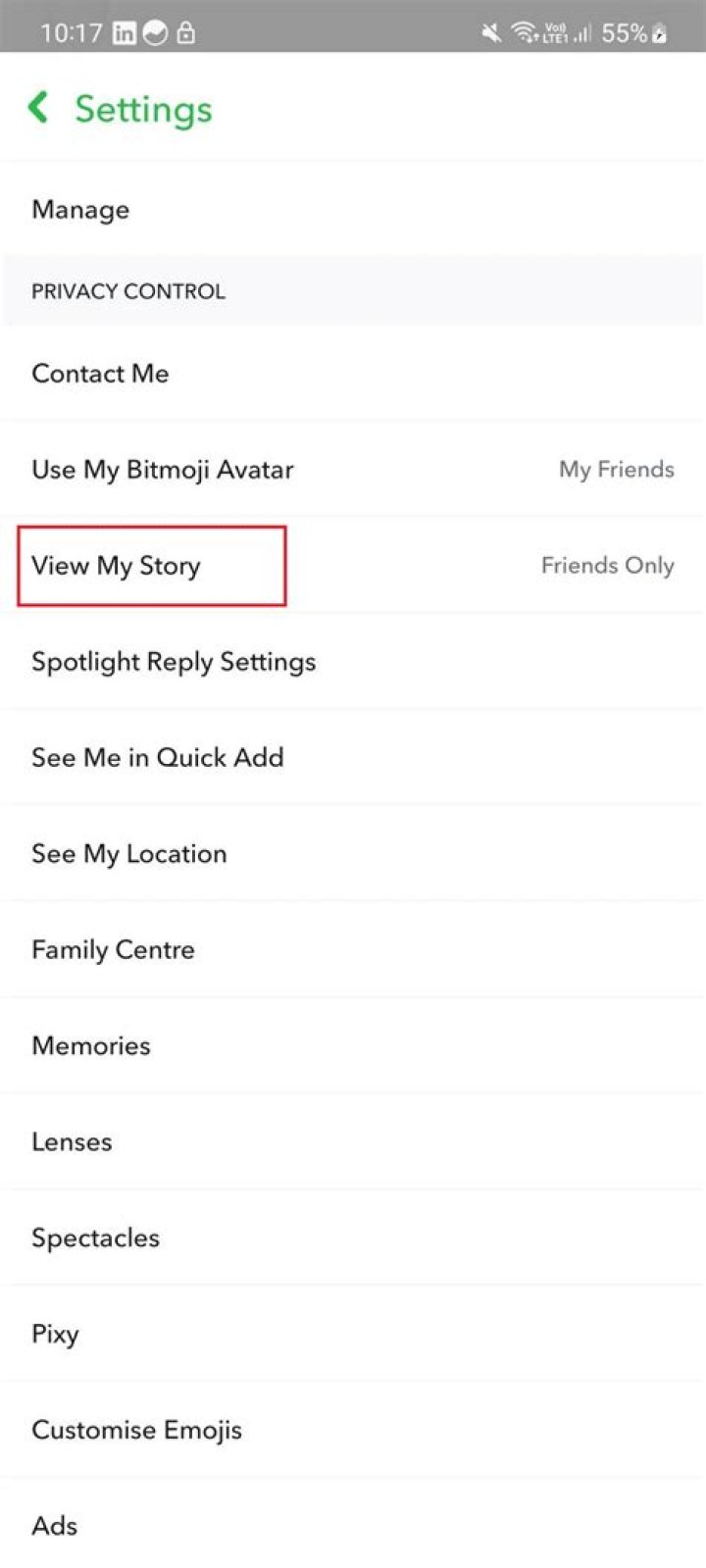
- Select Story settings from the menu;
- Select Customs from Who can see my story? drop-down menu;
- Select all the contacts you want to hide;
- Press the button Block option to end the process.
Hide Snapchat stories from a specific person
You can follow the same process as mentioned above to hide your story from a specific individual. In case you are annoyed with someone who regularly follows your story, the best way to get rid of him/her is to block them from your story. This can be done by following the instructions below.
- Open your Snapchat account;
- click your bitmoji the top left of the screen;
- Press Add to my story;
- Select Story settings from the menu;
- Select Customs from Who can see my story? drop-down menu;
- Select the individual you want to hide your story from;
- Press the button Block option to end the process.
After restricting them, they won’t be able to see your future stories until and unless you unlock them.
Part 3: How to see other people’s Hidden Stories on Snapchat? – Use KidsGuard Pro for Android
When someone blocks you from seeing their story, there’s still a way to see their story without them knowing. There’s no better way than using KidsGuard Pro for Android to access someone’s stories, even if they’ve blocked you from stories on Snapchat. In the following, we’ll take a closer look at this hidden Snapchat story viewer and discuss its powerful features and specifications.
Using KidsGuard Pro for Android, you can track an individual they don’t suspect. With this app you can not only find out if someone is using Snapchat, but you can also see what they’ve been up to in terms of stories, conversations, snapshots, app activity, photos, videos, etc.
Steps to use KidsGuard Pro for Android to view blocked Snapchat stories
KidsGuard Pro for Android is extremely user-friendly and easy to use. In just four easy steps, you can start tracking your partner’s activities on Snapchat.
Step 1: Create your account for KidsGuard Pro for Android by clicking Follow now below.
Step 2: Download the KidsGuard Pro Android app from the given address and set it up on the target phone.
Step 3: Verify your setup on KidsGuard Pro for Android online control panel and start watching other people’s Snapchat stories secretly.
KidsGuard Pro for Android lets you view an individual’s Snapchat stories without them recognising. You can do it remotely from the comfort of your home with the greatest ease. KidsGuard Pro for Android is so powerful that you can follow someone’s Snapchat stories even if they blocked you from viewing their stories.
See more: 10 Social Media Safety Tips – What Parents Should LearnWhat can KidsGuard Pro for Android do to see hidden stories on Snapchat?
Here are some of the hottest features of KidsGuard Pro for Android.
View conversation
KidsGuard Pro for Android gives you unlimited access to view real-time chats of your partner, children or any other individual on Snapchat. KidsGuard Pro’s easy-to-use interface for Android makes the process smooth and simple. You get remote access to targeted users’ online activities of all major social media platforms. As a result, you will be able to see with whom your partner, children or employees are interacting.
Monitor app activity
To track someone’s Snapchat and social media activities, you can use KidsGuard Pro for Android. It allows you to follow their stories, snapshots, photos and videos and read their chats in the most secret way. This is powerful software that allows you to monitor all major social media platforms like Snapchat, Facebook, WhatsApp, Telegram, Instagram, Tinder, WeChat, etc.
Take a screenshot
If you want to record what’s happening on your spouse’s phone, you can use KidsGuard Pro for Android which allows you to take screenshots on Snapchat without knowing it. It offers the option to take screenshots and track their online activities with leading privacy and security features. Taking screenshots can be the best way if you want to record their naughty activities.
Monitor calls & messages
Once you log in and activate KidsGuard Pro for Android on the target phone, you will be able to monitor phone calls and messages of your children, employees or spouse. You won’t be limited to just one app to track phone calls and messages.
Main Recorder
With the help of Key Logger you can find out every keystroke they make. Using the mobile keyboard, you can keep track of everything they type hitherto. With this feature, you can spy on their mobile activities when they are using their smartphone as usual.
Location tracking
Besides seeing a Snap Map where you can see someone’s location on Snapchat, KidsGuard Pro for Android also allows you to track the exact location of your spouse, children or any other person. You will be able to know the location of the targeted device with precise accuracy from the comfort of your screen.
Part 4: Reasons to block someone from seeing my Snapchat stories
While the Stories option is available on both WhatsApp and Instagram, Snapchat was a pioneer in introducing it. When you post a story, everyone on your contact list will be able to see your story by default. You probably don’t want all of your Snapchat friends checking out your most recent weekend getaway or any other gathering or outing. As a result, Snapchat allows you to hide your stories from selected users.
See more: How to See Deleted Messages on Snapchat?Part 5: What happens if you block someone on Snapchat?
Once you’ve blocked someone from Snapchat, they won’t be able to see your story, send you snapshots, or chat with you on Snapchat. You will no longer be able to search each other’s usernames and be removed from each other’s contact lists. However, if you “remove” someone from your contacts, they can still see your public stories.
If you block someone from your story, your story will be hidden from their news feed. Even if you restrict someone from seeing your story, they can still message you as usual.
FAQ about Blocking Snapchat Stories
Question 1: Did the person know when you blocked them from seeing your story on Snapchat?
Blocking someone from seeing your story won’t be notified, and Snapchat doesn’t send notifications to blocked accounts. However, when you haven’t posted anything for a long time, your contacts can guess what’s going on.
Q2: Can I see the story of someone I have blocked?
If you’ve unfriended someone on Snapchat, you won’t be able to access their story unless the privacy setting is set to Everybody. Can’t see anything from the user you’ve blocked.
Q3: Will Snapchat notify them when I block them from seeing my story?
ARE NOT! Snapchat won’t notify any contacts you’ve blocked from seeing your stories. However, the blocked contact can know if they haven’t seen any stories from you for a long time.
Conclusion
Snapchat is one of the most famous social media apps worldwide. You can share snapshots, videos, photos, and stories. With great customization, you can hide your story from one or more people by blocking them. However, KidsGuard Pro for Android allows you to see the Snapchat stories of people who have blocked you. Besides, you can also remotely monitor all major social media apps with utmost security and ease from your phone.
Categories: Tips & Tricks
Source: c3kienthuyhp.edu.vn