Follow ScreenRant.com
Something New
While Snapchat Stories disappear, other users can always take a screenshot of someone else’s Story. Here’s how to check for any screenshots.
Snapchat users can easily check who viewed or took a screenshot of a Story through the app’s settings. In general, Snapchat is designed to be a secure and privacy-focused service and this can be seen in many of the features, such as how Snaps and Stories disappear after a certain amount of time. However, if another user takes a screenshot of any or all of the Snaps within a Story, they can end up lasting for much longer than the original poster might have expected.
The Snapchat app has been expanding over time and now includes many popular features, and Stories is one of them. While a user can create a Snap, a Story brings together a collection of the user’s Snaps and plays them in the order they were created. Essentially, they are a viewable timeline of a user’s Snaps. Other users can view someone’s Story as many times as they like, but they are automatically deleted after twenty-four hours.
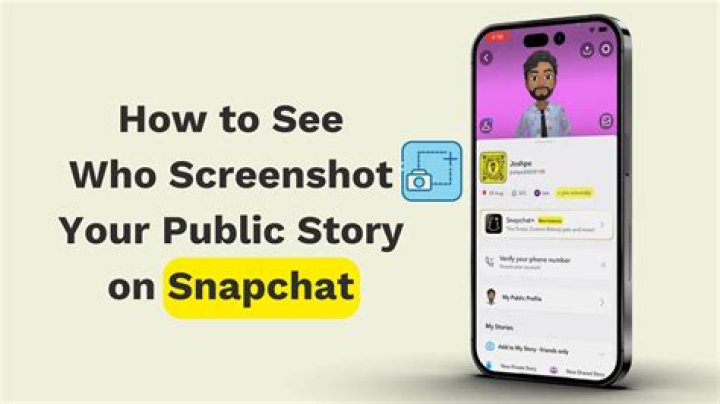
Snapchat provides users with an option to see who has viewed or taken a screenshot of a Story and both can be checked in the same section. Simply head to the profile page for the account by tapping on the icon in the top-right corner. Once on the page, tap on My Story and then swipe up on the screen. The user will then be presented with a list of users who have viewed or taken a screenshot of the Story. For reference, the app will highlight those who have specifically taken a screenshot, making it easier to see who viewed and who screenshotted the story.
Checking Limitations & Changing Snapchat Permissions
There is a limitation on checking who has viewed or taken a screenshot of a Story, as the list generated by Snapchat only includes a maximum of 200 Snapchat users. This could prove to be a problem for any accounts with higher levels of engagement, as they will only be able to see the first 200 users that have viewed a Story, let alone screenshotted one. However, Snapchat users can check who has permission to view a Story and make any adjustments, if needed
Generally speaking, only Snapchat users added by the original poster should be able to view a Story. To check who currently has permission, open the profile page and tap on the settings (cog) icon. Scroll down to the Who Can section and then tap on the View My Story option. Once here, the user can choose whether Stories can be viewed by everyone or just by friends. Snapchat does also offer a Custom option that allows users to narrow the list of who can view a Story (and by association, take a screenshot) by selecting specific Snapchatters.
Harry Guinness is a photography expert and writer with nearly a decade of experience. His work has been published in newspapers like The New York Times and on a variety of other websites, from Lifehacker to Popular Science and Medium’s OneZero. Read more.
Snapchat is all about transparency. You can always see exactly who’s seen your Story and, most importantly, if anyone has taken a screenshot of it before it disappears.
Here’s how to do it.
Go to the Stories screen in Snapchat and tap the three little dots next to your Story to see all the Snaps in it.
Next to each Snap you’ll see a number and a purple eyeball. That’s how many people have viewed your shot.
If anyone has taken a screenshot, there will also be a green triangle. The number next to it is how many screenshots have been taken.
Tap on a Snap and Swipe up to see a list of all the people who’ve viewed your Snap.
Anyone who’s taken a screenshot of your Snap will be highlighted in green.
You can only see this information while the Story is still live, so be sure to check it before it expires!
As Snapchat stories disappear, other users can still take a screenshot of someone else’s story. Here’s how to check the screenshots.
Snapchat users can easily check who viewed or took a screenshot of a story through the app’s settings. In general, Snapchat is designed to be a secure and privacy-focused service and this shows in a lot of features like how Snaps and Stories go away after a while. However, if another user takes a screenshot of some or all of a Story’s Snaps, they can last much longer than the original poster might have expected.
The Snapchat app has grown over time and now includes a lot of popular features, and Stories is one of them. While a user can create a Snap, a Story gathers a collection of the user’s Snaps and plays them in the order they were created. It is essentially a visible timeline of a user’s Snaps. Other users can view someone’s Story as many times as they want, but they are automatically deleted after 24 hours.
Related: How to Record on Snapchat Without Holding the Button Down
Snapchat offers users a option to see who has seen or taken a screenshot of a story and both can be checked in the same section. Simply go to the account’s profile page by tapping on the icon in the top right corner. Once on the page, tap My story, and then swipe up on the screen. The user will then be presented with a list of users who have seen or taken a screenshot of the story. For reference, the app will highlight those who specifically took a screenshot, making it easier to see who viewed and who captured the story.
Checking limitations and changing Snapchat permissions
There is a limitation to check who has seen or taken a screenshot of a story, as the list generated by Snapchat only includes a maximum of 200 Snapchat users. This could prove to be a problem for all accounts with higher engagement levels, as they will only be able to see the first 200 users who saw a story, let alone a screenshot. However, Snapchat users can check who has permission to view a story and make adjustments, if necessary.
Generally speaking, only Snapchat users added by the original poster should be able to see a story. To check who currently has permission, open the profile page and tap the settings icon (cogwheel). Scroll down to the Who can section and then tap on the View my story option. Once here the user can choose whether the stories can be viewed by everyone or only by friends. Snapchat also offers a custom option that allows users to restrict the list of people who can see a story (and by association, take a screenshot) by selecting specific Snapchatters.
Next: Can Snapchat See Your Snaps?
James Gunn shares his controversial views on the films
About the Author
John Finn (765 published articles)
John has been writing for the Internet since 2014 with a focus on the line where technology meets the film and television industry. John graduated in psychology from England and now lives in the United States. Prior to switching to online writing, John worked in the airline industry as an airline reviewer. After moving to the United States, John’s reviews shifted from airlines to smartphones, streaming devices, and TV-related services. John now enjoys being able to combine two of his favorite hobbies: technology and movies. A lot of John’s favorite movie genres boil down to horror, sci-fi, thriller, and just about any movie with an ensemble cast. The best place to follow John is on Twitter.
Snapchat stories are for everyone to see. Well, everyone on your Friends list. We all know that Snapchat lets you check how many people have viewed your story. You can even see the names of the people that have viewed it. But is there a way to know who viewed your story more than once? Read on to find out!
- What are Snapchat stories
- How to check who viewed your story
- How to tell if someone viewed your Snapchat story more than once
- Tips for finding out who viewed your Snapchat story more than once
- Why is my viewer’s list not changing
- Will I know if someone has taken a screenshot of my story
What are Snapchat stories
Similar to Instagram’s story feature, Snapchat users can post images and videos to a disappearing timeline. Snapchat stories only last for 24 hours, after which they automatically disappear. Depending on your privacy settings, Snapchat stories can be viewed by anyone in your Friends list, or a specific few (private stories).
You can keep a tab on how many people view your stories, as well as who has viewed it. With regard to video stories, if a person only views part of the story before closing it, they will not show up on the viewer’s list.
How to check who viewed your story
You can check the number of views that your story has, as well as who those people are that have viewed your story. To check out the views on your story, launch the Snapchat app, and tap on your story window in the top left corner.
Now tap your story to open it. Tap on the eye symbol at the bottom of your story. The number beside the eye symbolizes the number of people that have viewed your story.
Tapping the eye symbol will bring up a list of people who have viewed your story.
How to tell if someone viewed your Snapchat story more than once
Snapchat does not have a definitive way to let you know that your story has been viewed multiple times. However, there is a trick you can use to find out if your story was viewed again, and by whom. It should be noted that this method does not let you know how many times your story was viewed by the same person.
To find out if someone has viewed your story again, you need to compare your current viewer’s list to a previous one. Snapchat generates the viewer’s list based on who viewed your story last. And, it keeps populating this list in the same manner.
So in order to find out if a person has viewed your story again, you must keep checking your viewer’s list. If the person’s name was below before, but suddenly comes to the top of the list, you can be certain that they just viewed your story again!
For example, if your story was viewed by A, then B, then C, your list will show C,B,A from top to bottom (since C viewed your story last). Now if B views your story again, your list will change to B,C,A. This way you know that B has viewed your story more than once.
Tips for finding out who viewed your Snapchat story more than once
- Take screenshots of your viewer’s list at periodic intervals. This way you can check where on the list a person was.
- Try using private stories. The less the number of people that can view your story, the easier it will be to keep track of who is viewing it multiple times.
- Do not keep your viewers list open. The list does not populate while open. You need to keep closing it and opening it again.
- If a person is at the top of your viewer’s list and you know want to know if they replay your snap, you can ask a friend to quickly view your snap, and then wait to see if this person’s name moves to the top again.
Why is my viewer’s list not changing
If you notice that your list is not changing, close the Snapchat app and reopen it. If your internet is not fast enough, the list may need to be refreshed to repopulate. Also, your list will not change if you have it open. You will need to keep reopening the list to view any changes.
Will I know if someone has taken a screenshot of my story
Unlike a snap, when a person takes a screenshot of your story you will not receive a notification. However, if you check your viewer’s list, you will see a screenshot icon next to the person’s name who took a screenshot. Again, this does not indicate how many times a single person has taken a screenshot, only the total number of people that have taken screenshots.
Well, now you know the trick to finding out if a person has viewed your story on Snapchat more than once. If you have any queries feel free to reach out to us in the comments below.
Share this with
Snapchat Stories came to the app in 2013 and it was the first part of public use that came to Snapchat.
The feature allows you to publicly share your snaps with your wider Snapchat friends and not just the ones you direct snap.
Stories have become one of the most popular features of the app.
Once you upload a snap to ‘My Story’ this means that all of your friends on Snapchat can view the snaps you have posted to your story.
You can, however, select a few friends who you may want to hide your story from, and this means that you will still be their friend on Snapchat but they will no longer be able to see what you publicly post on your story.
You can change who is allowed to view your story by visiting the app’s settings.
Scroll down to ‘who can…’ and you will see ‘view my story…’ then select either everyone, my friends or custom.
In the custom option and click which friends you want to block from seeing your story.
To see who has viewed your story all you have to do is click on the video or picture you have uploaded to your story.
You will then see the snap, then swipe up from the bottom and a list of Snapchat friends who viewed the story will pop up.
Scroll down to see which of your Snapchat friends is most interested in your life.
You will see an eye symbol at the top of the screen which tells you at a quick glance how many of your friends have watched your story.
If you see a green screenshot symbol at the top this tells you how many people have screenshotted your story, and the number beside it will tell you how many times the snap has been screenshotted.
You can get a quick glance at how many people have viewed your story by clicking the three vertical dots beside your snap that you uploaded to my story.
To find a snap you uploaded to my story you need to open the app on the camera screen then swipe left, or click the three circles at the bottom right.
On the Stories screen, you will be able to see all of your friend’s stories – all the public snaps they have uploaded.
At the top of the list should be the snap you uploaded.
Sometimes you just want to save a memory on Snapchat before it’s gone forever, but you don’t necessarily want that person to know that you’ve taken a screenshot of your story. Does Snapchat tell you when someone screenshots your story? (2020) In this guide, we’ll let you in on whether Snapchat lets you know if anyone has taken a screenshot of your story or not. Read on to find out the answer to “can you screenshot Snapchat without them knowing?”
Does Snapchat tell you when someone screenshots your story? (2020)
You can find out if someone has taken a screenshot of your public and private story on Snapchat, but it won’t necessarily notify you if and who took a screenshot of your story at the time. If you have Snapchat notifications turned on, however, you might receive a notification telling you exactly who took a screenshot of your story. In our testing, receiving a notification when someone has taken a screenshot of your story has proven temperamental and inconsistent. For sure, though, you can find out who has taken a screenshot or saved a video of your Snapchat stories.
If someone has taken a screenshot of your Snapchat story, the app will tell you. You might receive a notification at the time the screenshot is taken, but, more likely, you will have to check manually. Simply head onto the Chat page of Snapchat and open the story you wish to check. If you see an image of two overlapping arrows (like in the image below), that means someone has taken a screenshot of your story. You should be able to see a list of those who have seen and taken a screenshot of your story. If you don’t like who has taken a screenshot, you can proceed to block them.
Remember, you need to have a good and friendly reason to take a screenshot of someone’s Snapchat story. If you know that person very well and the image or video is too funny or sweet and you don’t want it to be lost forever, that’s a viable situation. To double-check, you can ask the person if it’s okay. Normally, this would be safe enough to screenshot with the other person knowing you’ve done so without any cruel (or worse) intentions. Is there a way, though, to take a screenshot of a Snapchat story without its creator finding out?
Can you screenshot Snapchat without someone knowing?
You can take a screenshot of someone’s Snapchat story without them knowing, but it is a little complicated and iffy on the moral compass. It isn’t recommended and is not condoned by us saints here at GameRevolution. Nevertheless, it is possible.
Below is a list of ways in which you can take screenshots of someone’s Snapchat story without them knowing:
- Use another device to take a photo or record a video
- Use a screen recorder app
- Clear the Snapchat app cache and record offline
- Wait for the Story you want to take a screenshot of to appear (don’t click on it yet)
- Close Snapchat
- Turn off your internet and data connection (airplane mode will work)
- Head back onto Snapchat
- Head into Snapchat settings and hit ‘Clear Cache’ underneath ‘Account Actions’
- Take the screenshot you want
- Use Google Assistant
- Mirror your phone (connect it to a TV or PC)
- Mac QuickTime Screen Capture
Make sure that you have a good (friendly) reason to take a screenshot of someone’s story without them knowing. If you think the person in question wouldn’t want you to take a screenshot, you shouldn’t be taking a screenshot of their story, with them knowing or without them knowing you did so.
Posted on Last updated: February 16, 2021
Snapchat’s exceeding popularity stems from the fact that it provides a unique way of communicating and interacting with your friends. It is built on the concept of ‘lost.’ Any message or snaps that you sent to your friend will automatically disappear after 24 hours or after they have viewed it a couple of times. It works similarly to the Snapchat story, and here is how to tell if someone viewed your Snapchat story more than once.
A Snapchat story will be visible to all the people on your friends’ list, and it will be visible only for a day. It is the perfect way to share a memorable moment of the day or a life event with everyone. One cool fact about Snapchat Stories is that you can see how many people have viewed your story. Snapchat automatically generates a list of all those people who have viewed your story.
Since the story remains available for 24-hours, people can easily view it multiple times. Unlike a snap, this does not disappear after viewing it a couple of times. Now, you might be wondering if it is possible to know if someone viewed your Snapchat story more than once. Well, let’s find out.
Can People See How Many Times You Viewed their Snapchat Story?
Can you tell if someone replays your Snapchat story? While you can see the entire list of who has viewed your story but there is no direct way to find if someone has viewed your story multiple times or not.
How to check who viewed Your Snapchat Story?
As mentioned earlier, you can view who watched your Snapchat Story after you have uploaded one. The story that you upload will be visible to all your friends for the entire day. In fact, you can also view your own story multiple times throughout the data.
Launch the app and tap on the Story window on the top left corner of the screen. Your story will pop-up on the screen along with the number of views that the story has got until now. The number of views is displayed in the bottom-left corner. Tap on it, and you will be able to see the list of all the people who viewed your Snapchat story.
How to Tell If Someone Viewed Your Snapchat Story More Than Once?
Well, technically, there is no direct way to find out if someone has viewed your story multiple times or not. Although Snapchat shows the names of everyone who opened your story, it does not tell you exactly how many times they have viewed it.
If someone decides to take a screenshot of your story, there will be a distinct screenshot symbol next to their name. This will allow you to find out if someone has taken a screenshot or not. However, there is no such symbol to distinguish between single and multiple views.
In the previous versions of Snapchat, it was possible to know exactly how many times a person has viewed your story. However, recently Snapchat removed this feature, and since then, it is not possible to say for sure if someone viewed your story more than once. Therefore, anyone can view your story multiple times throughout the day, and there is no way for you to tell it directly. However, we wouldn’t be writing this article to inform you that what you are trying to do is impossible. There exists a clever hack that allows you to identify if someone has viewed your story more than once. Let’s discuss this in the next section.
How to find out who viewed your Snapchat story more than once?
Before we begin, you need to know that this trick will only be able to tell you if someone viewed your story again. It will not be able to tell you exactly how many times they have watched your story.
This trick exploits the fact that Snapchat generates a new current viewer’s list every time someone views your story. Therefore each time someone views your story, their name appears on the top.
Now, to find out if someone viewed your story more than once, you need to keep checking the recent viewers’ list now and then. If you notice someone’s name appearing on the top more than once, then he/she must have opened your story again. For example, the last time you checked ‘Roger’ was fifth on the list, and then after half an hour, when you check again, he is on the top of the list. The only way this is possible is if Roger views your story again.
To make things easier, you can take multiple screenshots throughout the day and see if a particular name appears on the top 5 people multiple times. You can also choose to upload a private story visible only to a few close friends. Many people keep the recent viewers’ list open, hoping that they will track in real-time who is viewing their story. Unfortunately, it does not work that way. The list will get updated only when it is closed. Thus, the only option is to check it multiple times by opening and closing the list.
Is there any other alternative?
We know that the above-described method is a little too complicated and exhausting. It would have been great if any other smarter alternative was available. Take, for example, a notification system that informed you who viewed your story more than once. Or perhaps, a specific emoji or symbol like one used to indicate someone has taken a screenshot. Earlier on, Snapchat did indicate exactly how many times a person has viewed your story next to their name, but it does not do that anymore.
In addition to that, you might also find several third-party apps that claim to provide you with this information. Unfortunately, all these apps are nothing but a hoax. Snapchat no longer collects and stores this information on its server, and thus no app can extract this information. So, we would strongly advise you not to fall into these traps. These apps might be Trojans that are designed to steal your private data and hack into your account.
Recommended:
We hope that you find this information helpful and you were able to find the answer to the question “If Someone Viewed Your Snapchat Story More Than Once“. Snapchat Stories are a fun way to share a glimpse of your life with your friends. You can upload a picture, a short video, etc., with your friends. It is also possible to control exactly who will be able to see this story. Apart from that, you can track how many people viewed your video and see who they are.
However, the only thing that you can’t know for sure is how many times someone has viewed your story. You can use the trick to figure out if someone viewed it more than once, but that is all that you can do. We hope Snapchat brings back the old feature so that you do not have to work so hard to find out if someone viewed your Snapchat story more than once.
Pete is a Senior staff writer at TechCult. Pete loves all things technology and is also an avid DIYer at heart. He has a decade of experience writing how-tos, features, and technology guides on the internet.
If Snapchat isn’t showing who took a screenshot of your Story don’t panic. The company announced that they’re looking into the issue. Scroll down to see the company’s tweet. To see who screenshot your Story, go to the Stories screen and select the three dots in the top right corner. If you see a green symbol next to any of your Snaps, that means someone took a screenshot of your Snap.
Select a Snap and swipe up to see exactly who took a screenshot of your Snap. The list shows everyone who has viewed your Snap. The people who took a screenshot of your Snap will be green.
| How To See Who Screenshot Your Snapchat Story? Not Showing |
The following tweet shows Snapchat’s response to the screenshot issue:
How To Screenshot Someone’s Snap Without Them Knowing?
Is Snapchat your favorite social media app? Share your thoughts in the comment section below.
By Jason John
Jason John is based in Maryland and covers Empire BBK’s News and Entertainment. He was previously a producer for the mobile site, helping to present Empire BBK’s news report to readers. More
If you are a regular user of TikTok, you must have come across the scary claim that shows how Snapchat users are highly likely to get notified if someone views their profile. These videos have proven to be quite daunting for people that have been using Snapchat to view the profile of their exes, friends, crushes, and other such people secretly. Such videos receive a hilarious response from those who have the habit of stalking others. The good news is there is no way you can view the list of people who viewed your Snapchat profile.
So, if you have been stalking someone for quite a while, and you are worried they will be notified about your small-stalking act, you can rest assured that it is absolutely safe to view the profile of the Snapchat users without getting caught.
The only thing you need to ensure is that you don’t capture the screenshot of their profile or view it on the Snap Map. Now, this leads us to an important question “is there any way I could know if somebody is viewing my profile on Snapchat”?
Here you can find a complete guide on how to see who viewed your Snapchat profile.
Sound’s good? Let’s get started.
How to See Who Viewed Your Snapchat Profile
Unfortunately, you cannot see who viewed your profile on Snapchat as there is no default option to track down the profile visitors. A few Snapchat profile viewer apps are available in the market but sadly none of them is useful. This means you’ll need to think outside of the box to see who is snooping around on your profile.
Do You Get a Notification When Someone Views Your Profile on Snapchat?
There is a big difference between viewing someone’s profile or stalking their account. Though stalking is mostly harmless, it can sometimes lead to serious issues. This is especially true when stalking turns into harassment. One thing that sets Snapchat apart from other social media sites is the fact that it sends you the notification as soon as someone captures the screenshot of your profile or views your Snap Map. For example, if a friend checks your location by tapping your Bitmoji, you will be notified about the same.
Tracking the user’s activities on Snapchat is so far the easiest way to know if someone has been stalking or viewing your Snapchat profile. If they have been viewing all your stories, tracking your location, capturing the screenshot of your posts and other pages, then that’s a clear sign they are stalking your profile.
Unfortunately, there is no direct option for tracking people who viewed your Snapchat profile. There can be many people that must have stalked your profile or viewed your account on the platform. Never rely on third-party apps, and make sure you do not share your private information with third-party app developers. Never disclose your username, password, or any other sensitive information about your Snapchat account to anyone. There is no app that could tell you who viewed your Snapchat profile or who tracked your account.
Also Read:
Dharmesh Donda
iStaunch is written by Dharmesh Donda, an avid Internet geek, IT professional since 2012. Have been in IT industry for more than a decade, and currently doing management and consulting work have taken a plunge into entrepreneurship.
The same effects of social media involve sharing or letting others know where you are and what you’re doing. Therefore, you can expect to compromise some privacy when using social media. The difference between being interested in someone and stalking will be discussed.
Know whether your Snapchat profile has been viewed by following these simple steps:
Snapchat has a few methods to keep you updated about what’s happening in your feed. For example, someone has read your Snapchat Story, taken a screenshot, or checked you out on Snapchat, and the app will notify you of this.
Unfortunately, there is no easy way to find out who has viewed your Snapchat profile, but there are a few ways or tricks that we can use to guess as to whether or not this person has visited your Snapchat profile or is stalking you.
How to Know Who Viewed Your Snapchat Profile
By viewing your story
Snapchat stories have grown so popular that other social media sites have adopted them. Due to this feature, Snapchat has become one of the most popular social media applications. Making them is simple, and reading them can be a lot of fun.
Snapchat Stories allows you to track who has viewed your story.
- Open Snapchat App on your mobile phone. Then, select My Story that can be viewed from your profile page.
- It should have a number next to the eye icon and an eye icon. You have been viewed by a lot of Snapchat users.
- Those who have seen it can be found by swiping up from the bottom.
- The number of views on your content can make it difficult to determine who has looked at it. However, one or two contacts will likely frequently show at the top of the list, indicating that they are interested in the subject.
This works for the Snapchat posts. How many people have viewed it and who they are will be displayed. Instead of names, you’ll see a + next to the number of views, which indicates that your story has been viewed by a large number of users.
Know if someone is taking a screenshot
Snapchat Stories’ impermanence is a key feature. There is a 24-hour time limit on their presence before they disappear. Thus, a sense of urgency is created, which “encourages” regular use. Although Snapchat will notify you if this happens, anybody can snap screenshots of your postings and save them.
- Open the Snapchat app and choose My Story from your profile.
- Swipe up from the bottom to view the list.
- Search for an entry with a cross arrow icon on the right.
If you see those crossed arrows next to your article, someone has screenshot your article. A screenshot can be taken without the app recognizing, although it’s not perfect. This gives even more reason to be cautious about what you post on Snapchat!
Letzte Themen
What is value added tax with example?
Was versteht man unter Bundesfreiwilligendienst?
Was heißt poetry?
Wo kann ich mein Aufenthaltstitel verlängern München?
Wie hoch ist der tarifliche Stundenlohn im Einzelhandel?
Wie beantrage ich einen Erbschein in Thüringen?
Warum braucht man die Bewegungswahrnehmung?
Ist der Nussknacker ein Märchen?
Wem gehört diese A1 Nummer?
Was ist eine Bestelladresse?
Beliebte Themen
Wo kann ich den Wunschgutschein überall einlösen?
Wem gehört die deutsche Polizei Blackwater?
Ist Spiderman Far From Home auf Disney Plus?
Wie alt ist Panja Jürgens heute?
Wie komme ich in die ARTE Mediathek im TV?
Is Hesgoal illegal?
Wann ist die nächste LOTTO Zwangsauszahlung?
Baffled Snapchat users are still trying to get their heads around the app’s new re-design, so this guide should help you figure out how to see who’s viewed your Snapchat story in just a few easy steps
- 10:47, 20 Feb 2018
TRYING to find out who’s been looking at your Snapchat Story? We’ve got an easy guide on how to do it.
The latest Snapchat update has left everyone a little confused thanks to a redesign, but it’s still possible to check out your Snapchat fans with the new app design.
First, you’ll need to make sure you have an active Snapchat Story. Snapchat Stories disappear after 24 hours, so double-check that you’ve actually posted something recently enough.
Then, navigate to the launch page of your Snapchat app – that’ll be the screen with the camera.
In the top left, you’ll see a little profile icon. Tap it, and you’ll be taken to your own profile page.
On your profile page, you’ll see a My Story section. You can click this and you’ll be able to re-watch your own Story.
If you swipe up from the bottom of the app, you’ll see a view counter, which shows how many people have seen your Story.
You’ll also be presented with a list of people who have viewed
On your profile page, you’ll also be able to see a breakdown of individual Story posts that make up your overall Story.
You can tap on these and then swipe up to see views for each specific photo or video you’ve uploaded.
In any case, you’re not alone in feeling a little confused by Snapchat’s new redesign.
It’s proved so controversial that more than a million people have signed a petition pleading with Snapchat to roll back the update.
MOST READ IN TECH
The update made sweeping changes to the design of the Snapchat app, including merging the old ‘Chats’ and ‘Stories’ tabs into a single ‘Friends’ panel.
But Snapchat isn’t looking likely to revert to the old design, and hopes users will eventually get used to the new app.
In a statement given to The Sun, a Snapchat spokesperson said: “Updates as big as this one can take a little getting used to, but we hope the community will enjoy it once they settle in.
We pay for your stories! Do you have a story for The Sun Online news team? Email us at [email protected] or call 0207 782 4368 . We pay for videos too. Click here to upload yours.
- Apps
- Snapchat
More from The Sun
MAJOR SHOCK
New evidence about chief Maddie suspect leaves investigators ‘shocked’
JAIL RISK
Katie Price faces 5 YEARS in prison ‘after allegedly sending “gutter s**g’ text”‘
TORN APART
Tragic Arthur’s evil dad’s relatives ‘BANNED from his funeral’ as family at war
Kieran Hayler shares sweet vid of son as it’s revealed Katie Price faces prison
Follow The Sun
Services
- Sign Up To The Sun
- About Us
- Editorial Complaints
- Clarifications and Corrections
- News Licensing
- Advertising
- Contact Us
- Commissioning Terms
- Help Hub
- Topic A-Z
- Cookie Settings
- Contact Preferences
©News Group Newspapers Limited in England No. 679215 Registered office: 1 London Bridge Street, London, SE1 9GF. “The Sun”, “Sun”, “Sun Online” are registered trademarks or trade names of News Group Newspapers Limited. This service is provided on News Group Newspapers’ Limited’s Standard Terms and Conditions in accordance with our Privacy & Cookie Policy. To inquire about a licence to reproduce material, visit our Syndication site. View our online Press Pack. For other inquiries, Contact Us. To see all content on The Sun, please use the Site Map. The Sun website is regulated by the Independent Press Standards Organisation (IPSO)
Ever since Snapchat was introduced in 2011, the application has managed a consistent growth in its user-base all because of distinct features, one of which is Snapchat story. Snapchat has integrated its stories feature a few years back which helps Snappers to view what their friends are doing on a regular basis. While using Snapchat stories, some people post unwanted stuff on their timeline, few others post interesting stories that might catch viewer’s attention compelling them to watch that particular Snapchat story more than once. If you have a Snapchat profile, this quite obviously leaves you in anxiety that who viewed your snapchat story more than once or can you see how many times someone viewed your snapchat story?
Well responding to all such curiosities, this blog post will let you know what happens when you see someone’s Snapchat story for more than once and on the contrary making you understand on tracing how many times someone views your Snapchat story.
Read Also:
Table of Contents
What are Snapchat Stories?
Similar to its closest rival Facbook’s Instagram, Snapchat users are provided with a feature that allows them to post images and videos to a timeline. These stuffs last for a timeframe of 24 hours, before getting auto vanished. Depending on user’s privacy settings, Snapchat stories can be viewed by anyone who is added to your Friends list, or by a specific few (in case of private stories). You can hastily make a change to the settings subject to who can view your Snapchat story. You have the option to choose among everyone or my friends, and you can even create a custom list for snapchat story viewers.
Beside this you can also snapchat story views, as well as who are those friends who have seen your snap story. However in case of video stories, if a person only views a part of the story and close it before the finish, they will not show up on the viewer’s list until the complete story being watched by them may be at some other time.
How To Tell If Someone Viewed Your Snapchat Story More Than Once
It is a frequently asked question by a number of Snapchat users that whether they can identify for Snapchat story view more than once or not.
As an answer to this question, there exists no specific method which can let you know about your story being viewed multiple times. But still you can manage to get information on whether your story was viewed again or not, and by whom. For doing so you are required to use a weird trick. However this trick does not tell how many times your story was viewed by the same person as there is no possible way for that so far.
In order to find out if someone has viewed your story more than once, you need to keep track of your viewer’s list and make comparisons of current list to an earlier one. As Snapchat generates the viewer’s list based on recent views and it keeps populating in the same manner, you can easily identify a person who has viewed your story again if the person’s name tends to appear on top in your later viewer’s list.
Replay Snapchat Story
After viewing a story for once if you wish to rewatch/replay a Snapchat story, you can press the replay button found in the story section to view someone’s story again. Alternatively, you can search for the individual’s profile, go to their name & click the circle towards the left to view their story again.
Can User Get To Know If You Replay A Snapchat Story
Till now Snapchat hasn’t provided any means by which someone can find out if you have replayed a particular story posted by them considering the fact that it amounts to a violation of privacy as per the app. It merely makes a single count per person irrespective of how many times a person run over the same story. Hence, if you replay someone’s story even multiple times, then there’s no way that they can find out on how many times you have replayed it.
How Do You Know If Someone Has Taken A Screenshot Of Your Story
When someone screenshots your story, you won’t receive a notification rather it shows a screenshot icon against the name of person who has taken screenshot of your story. You need to keep an eye on your story viewers’ list to find out who has taken screenshot of your story.
To Wrap-up
This is how one can tell which friend had viewed their Snapchat story more than once. Hope you find it handy. We will update this page if Snapchat comes up with a more reliable way or advance feature to trace who all have viewed your snapchat story multiple times given the exact number of count.
As of June 2016, Snapchat boasts 150 million active daily users. The app, which was initially used to send photo and video clips that self-destruct after viewing, thrives on the promise that content shared on the platform is fleeting. It’s important to know who is viewing your snaps, whether they’re private snaps or ones shared in your Snapchat Story. Below are a few pointers.
Snapchat Stories provide a full list of viewers
There is no way to anonymously view a SnapchatВ Story, that is, the snaps that are posted to a user’s profile. As such, getting a complete list of who’s viewed your story is easy. Check the “Stories” page and select “My Story.” Here, each snap will play and at the bottom there will be an upward facing arrow. Selecting the arrow will pull up a series of icons. The leftmost eye icon shows the number of views, and the overlaying arrows icon to its right reveals the number of times the snap has had a screenshot taken. Below the eye icon will be a list of all the users that have viewed the snap.
Private snaps have time stamps
Private snaps are sent to select people, so the identity of who viewed the snap is no secret. Unless someone’s account has been hacked, the viewer is more than likely the recipient. There is a simple way to know when someone has opened your snap: Check the “Chat” page and look at the icons on the left — if they are solid-colored, then the chat has not been opened. Snapchat also tells users what time the snap was delivered and what time it was opened in light gray letters under the recipient’s name.
Know when a user has replayed a private snap
Users have the option to replay a snap. If you want to know who took a second look at your snap, then remember that Snapchat alerts you when someone has replayed it. When on the “Chat” page, a circular icon with an arrow will be next to the name with text along the lines of “Replayed just now.”
Snap messages have time stamps as well
In addition to photo and video messaging, Snapchat supports text messages. These messages disappear once they’re opened, unless users swipe right to save the message. Similar to private snaps, a user can see who has opened the message by checking when the message was opened and keeping an eye out for the solid or hollow icons.В
Users are notified of screenshots
Snapchat alerts a user when anyone takes a screenshot of a snap or a message thread. Depending on a device’s notification settings, an alert will pop up on the main screen and within the chat page between users as well, with an icon and text under the user’s name along the lines of: “Screenshot just now.” Screenshot alerts are indicative of who has potentially captured an image of a snap and also who has seen a given snap.
How To Check Who’s Viewed Your Snap Story On Snapchat
Your Snapchat story allows you to share a photo or video with all your Snapchat friends for 24 hours. Unlike a normal Snapchat photo or video, which you can see once, Snapchat Stories can be viewed over and over again until they are destroyed 24 hours after they are posted. You can also see how many of your friends on Snapchat have seen their Snapchat stories and their names.
When WhatsApp introduced the “seen” feature, people were angry. The feature made it impossible to ignore a message or reply without a very valid reason. Finally, other messaging apps have acquired and replicated this feature. Everyone has a way to disable it, unlike Snapchat. This, for better or for worse, tells you exactly when someone has seen your updates, messages or when he’s writing. Snapchat literally sends you a notification when one of your contacts starts writing. There is no way to hide your activity in the app and this is valid for your Snapchat story. You can see who saw your Snap story quite easily.
Check who has seen your Snap story
Open Snapchat and scroll left to access the Stories screen. You should already have an active snap story. Tap your story. Be careful not to tap any of the three side buttons.
When you tap your story, it starts playing. If you look at this screen, you will notice a small arrow at the bottom. Scroll up on this arrow. A panel will open revealing how many people have seen your snap story. You can see the total count of views in the upper left corner. Next, to him, you can see how many times your story has been reproduced.
Limitations
Snap stories have a limited duration of 24 hours. This limited life means that your followers/friends/ public on Snapchat can only see your story at that time. Likewise, you can only check who saw your snap story as long as it’s available.
Once your story has run its course, i.e. the 24 hours expire, you can no longer check how many views you have in your story. If you then add more snapshots to your story, you can only check the views of that story. Older snapshots in a story expire after 24 hours. The views you see in a story are for snapshots that are still within the 24-hour period.
If you want to limit who can see your story, you can do it. You can allow all those who follow you to see your story or limit it only to your friends. Friends are people who follow you and follow you. If you limit the visibility of your instant story only to friends, the people you don’t follow won’t be able to see your story.
If you want to share an add-on with a limited number of friends, your story is not the best way to do it. Instead, it’s better to create a group on Snapchat and share your story with the group.
Snapchat is a messaging platform that allows people to send messages to their friends in a fun way. With snapchat, you can send normal texts, snaps with captions and drawing, and you can reply to your friend’s stores. Many people use snapchat rather than default messaging platforms to send messaging because of the endless options.
Before, snapchat only allowed people to send snaps to each other, then stories were introduced. This allows you to take a story of what you’re doing in the current moment, then post it to your story. Before you post it, you can draw on it, add a caption, tag people, and add music.
Once uploaded to your story, people can view it, reply to it or screenshot it. If you post a lot of good content, then chances are that people screenshot your stories a lot. If you’re not sure how to check if someone screenshotted your story, you could check below.
1. Open Snapchat. This will take you to the camera view.
2. Tap on the profile icon in the upper-left corner of the screen.
3. Tap on My Story.
4. Tap on the Story you want to check.
5. Tap on the screenshot icon in the lower-left corner. This is demonstrated by the two triangles. If people did screenshot the story, you’ll see the number of times it was screenshotted.
6. A list of people who screenshotted the story will show up. If no one screenshotted your story, then nothing will show up. On the right, you can see a list of people who viewed your Snapchat story and how many people viewed it.
You might not be as sneaky as you think.
Even if you’ve been using Snapchat and Instagram for years, you may not know how they *actually* work. The social media apps are constantly rolling out new updates, making it much harder to hack the algorithm, use every feature, and answer common questions like, “Can someone see if you view their Snapchat profile?” or “Does someone know if you check their Snapchat score?” However, knowing the answers to those questions is essential, so you don’t get caught looking like an Insta stalker while you’re lurking on your crush, former BFF, or high school boyfriend.
Though you may want to strike up a conversation with your new love interest, you probably don’t want a digital stalking mission to be the reason why you two start texting. You’d rather slide into their DMs knowingly, and ask them about their day or tell them they look cute in their latest selfie. (Liking a picture from 2015? Big yikes!) All too often, people don’t know what they don’t know, and they don’t know they’re notifying the person on the other side of the screen every time they click here or tap there.
For instance, on certain apps, taking a screenshot of a Story alerts them. On others, viewing a Story is all it takes to make that person aware of your Internet presence. In some cases, you can peruse content and be totally incognito, thanks to recent updates. In others, you’re only able to see certain information before you have to tap the “follow” button or befriend that person online. Here’s everything you need to know about the ways people know you’re stalking them on Snapchat and Instagram. Go forward wisely and without harming anyone, friends.
Can Someone See If You View Their Snapchat Profile?
Let’s get right into it. If you view someone’s Snapchat profile — say, to look at their Snapchat score, username, or any photos and messages saved in your chat with them — they aren’t notified. You can peruse this page at your leisure, and the app won’t throw you under the bus. However, you cannot screenshot a profile. Like any page on Snapchat, a user will be notified if you screenshot their profile, as friendships are private on Snapchat.
They’ll also be notified if you watch or screenshot their Story. Snapchat Stories work very similarly to Instagram Stories, where someone can upload a photo or video that’ll stay on the app for 24 hours or until they delete it. (Snapchat Stories actually came first, if you can believe it!) In the year 2021, you can see which of your friends have viewed your Story by tapping on the eyeball button and scrolling down. If you’re the “stalker,” you can watch people’s Stories by heading to the friends tab or clicking on the Snapchat map.
Some users will link their Stories to their Bitmoji, so you’ll see a picture or video in a bubble above their head. If you click on that bubble, you’ll watch their Story and they’ll be notified, as if you watched the Story through the friends tab. So, be careful!
Does Someone Know If You Checked Their Snapchat Location?
Snap Maps allows people to see where you are in the world, if you enable it. Some users that you’re friends with may not appear on this portion of the app, simply because they did not activate this feature. From a “stalking” perspective, a person is not notified if you tap on their Bitmoji and see where they are. However, they are notified if you watch the Story attached to their Bitmoji.
For that reason, it’s best to just zoom in and out on the map and not tap anything. Tapping will only show you how long ago they were active and a close-up of their likely #fire outfit.
Can Someone Tell If You Watched Their Instagram Story?
TBH, Instagram is equally as revealing as Snapchat. Users are now able to see who viewed their Story for the 24 hours it’s live, and not just how many people viewed their Story. Whether you watch the Story of someone you follow or not, they’ll be able to scroll through a long list of usernames and tap on your profile. This is the case even if your own account is private.
There’s only one catch: After 24 hours, a user can’t see the exact usernames that viewed their Story. At this point, Instagram only tells you how many people viewed your Story, whether it’s archived or added to a highlight. If you’re snooping on your crush, it’s best to watch their older highlights. However, be sure to look at the date stamp at the top, so you know when recently-posted Stories are coming up. Stories can be added to highlights even when they’re live!
Is Someone Notified When You Screenshot Their Instagram Story?
Last but certainly not least, a user is not notified when you screenshot their Instagram Story. You can capture a cute picture your crush posted and send it to your BFF in a text message without any repercussions. Unlike Snapchat, this social media app is much more discreet that way, and it doesn’t even notify the original user if you send a Story in-app to another user.
Now, if you want to send someone a picture from their feed via direct messages, then the user is notified. Well, kind of. They’re alerted that the post has been sent, but your identity isn’t totally revealed. In other words, you’re safe and sound — unless you like the pic yourself. (I’m cringing just thinking about it.)
Happy lurking, everyone!
Editor’s Note: This story has been updated by Elite Daily Staff.
This article was originally published on 08.12.16
by admin · June 23, 2016
Find out who have viewed your Snapchat story, how many times your story viewed by your friends. Yes, someone can tell if you view their Snapchat story with this tips.
Always interesting to know who sees our Snapchat story, to see is there anyone cares about the daily activities we record and upload in Snapchat story. That awesome feeling when you find out your crush is also watch you daily Snapchat story. But don’t get it wrong, maybe they watched your story by accident, because in the latest update, the snapchat stories are loaded automatically.
Anyway, here’s how to do it.
How to see who viewed your Snapchat story
- Lunch your Snapchat app
- Go to the story page
- Tap on the three vertical dots to the right of My Story
- Choose the snap you want to see who has viewed it.
- Swipe up on the screen of your Snapchat story you choose to see who has viewed your Snap. Views are represented by eye icon, the number next to it is the number of your friends viewed it.
- You can also know who has take a screenshot of your snapchat story, the green arrow icon represent it.
In the latest update, if you begin to view a story from your friend, the next stories from another friends of yours will be loaded and played automatically even though you didn’t mean to view it. Maybe you do not really know that person, but he or she know that you have watched their stories and think you care.
when u watch somebody’s snapchat on accident and now they see you watched it and think you care
This kind of feature may not be so favorable for you who like to watch your crush’s social media feeds, because you will be caught, even you can not take a screenshot unnoticed.
If you use Snapchat, you know that the only way to save a snap/story is to screenshot it. However, the catch is the app notifies the user whose story you grab a screenshot of!
This can be a problem if you don’t want the other person to know that you’re saving their photos. Don’t worry, we’ve got something to help you out. Here are three ways to learn how to screenshot on Snapchat without them knowing on iPhone.
1. Turn on Airplane Mode on iPhone
The easiest way to screenshot Snapchat on the iPhone is simply launching the app, wait for the snap to load, and then enable Airplane mode. Now, you can open the snap-in Airplane mode and take a screenshot. However, this doesn’t always work-sometimes it leaves a notification on their Chat list without sending them a notification. Here’s how you can do it.
Launch Snapchat on your iOS device and swipe over to the page with Snaps and Stories. They may take a couple of seconds to load.
Now, swipe up from the bottom of the screen (or down from the top corner if you’re using an iPhone X or later) to reveal the Control Centre and tap on the Airplane mode button, which is denoted by an airplane.
Go back to Snapchat and view the snap/story. It should load the image and now you can take a screenshot. Since there is no data or Wi-Fi connection, Snapchat will not be able to notify the other person that you’ve taken a screenshot.
However, once you disable Airplane mode, it might notify the person. To circumvent this:
- Close the story and tap on your profile picture.
- Tap on the Settings icon from the top right.
- Scroll down and tap on Clear Cache → Clear All → Clear.
- After this, you can turn off Airplane mode.
3. Use QuickTime on Mac
Connect your phone to your Mac and open QuickTime Player. Next, click on File → New Movie Recording. Click on the small arrow next to the record button.
For camera and microphone input, select your iPhone. You should see your phone screen on your Mac. Finally, begin screen recording your iPhone on your Mac and start viewing the snaps.
If you need more help, follow this step-by-step article that shows you the above instructions in detail.
If you don’t want to make video recordings of the snaps, and would rather have screenshots instead, follow the initial steps, and instead of screen recording, press Command + Shift + 4 on your Mac. Next, press the Space Bar and take a screenshot of the QuickTime window.
4. Use another phone to record
If you have a spare phone lying around, then you can use it to record the snap or take a picture of it. Simply start viewing the Snapchat story or snap on your iOS device and then use the other phone’s camera to take a picture. For videos, you can use the other device to record.
Video: Take screenshots on Snapchat without them knowing
That’s it!
Snapchat doesn’t officially allow you to take screenshots without notifying the sender. If you want to take screenshots secretly on Snapchat, you’ll have to use the methods described above. We would suggest that you use the screen recorder feature on Mac or the Airplane mode method. The screenshots will be available in the Photos app on your iOS device and can be viewed whenever you like.
Other interesting Snapchat articles…
Snapchat stories are for everyone to see. Well, everyone on your Friends list. We all know that Snapchat lets you check how many people have viewed your story. You can even see the names of the people that have viewed it. But is there a way to know who viewed your story more than once? Read on to find out!
What are Snapchat stories
Similar to Instagram’s story feature, Snapchat users can post images and videos to a disappearing timeline. Snapchat stories only last for 24 hours, after which they automatically disappear. Depending on your privacy settings, Snapchat stories can be viewed by anyone in your Friends list, or a specific few (private stories).
You can keep a tab on how many people view your stories, as well as who has viewed it. With regard to video stories, if a person only views part of the story before closing it, they will not show up on the viewer’s list.
How to check who viewed your story
You can check the number of views that your story has, as well as who those people are that have viewed your story. To check out the views on your story, launch the Snapchat app, and tap on your story window in the top left corner.
Now tap your story to open it. Tap on the eye symbol at the bottom of your story. The number beside the eye symbolizes the number of people that have viewed your story.
Tapping the eye symbol will bring up a list of people who have viewed your story.
How to tell if someone viewed your Snapchat story more than once
Snapchat does not have a definitive way to let you know that your story has been viewed multiple times. However, there is a trick you can use to find out if your story was viewed again, and by whom. It should be noted that this method does not let you know how many times your story was viewed by the same person.
To find out if someone has viewed your story again, you need to compare your current viewer’s list to a previous one. Snapchat generates the viewer’s list based on who viewed your story last. And, it keeps populating this list in the same manner.
So in order to find out if a person has viewed your story again, you must keep checking your viewer’s list. If the person’s name was below before, but suddenly comes to the top of the list, you can be certain that they just viewed your story again!
For example, if your story was viewed by A, then B, then C, your list will show C,B,A from top to bottom (since C viewed your story last). Now if B views your story again, your list will change to B,C,A. This way you know that B has viewed your story more than once.
Tips for finding out who viewed your Snapchat story more than once
- Take screenshots of your viewer’s list at periodic intervals. This way you can check where on the list a person was.
- Try using private stories. The less the number of people that can view your story, the easier it will be to keep track of who is viewing it multiple times.
- Do not keep your viewers list open. The list does not populate while open. You need to keep closing it and opening it again.
- If a person is at the top of your viewer’s list and you know want to know if they replay your snap, you can ask a friend to quickly view your snap, and then wait to see if this person’s name moves to the top again.
Why is my viewer’s list not changing
If you notice that your list is not changing, close the Snapchat app and reopen it. If your internet is not fast enough, the list may need to be refreshed to repopulate. Also, your list will not change if you have it open. You will need to keep reopening the list to view any changes.
Will I know if someone has taken a screenshot of my story
Unlike a snap, when a person takes a screenshot of your story you will not receive a notification. However, if you check your viewer’s list, you will see a screenshot icon next to the person’s name who took a screenshot. Again, this does not indicate how many times a single person has taken a screenshot, only the total number of people that have taken screenshots.
Well, now you know the trick to finding out if a person has viewed your story on Snapchat more than once. If you have any queries feel free to reach out to us in the comments below.
Snapchat is a very popular messaging and photo-sharing app that is very famous among the youths these days. This app enables you to talk to your friends by sharing videos and photos (also called Snaps), view live series from all over the globe, share your own life story with friends and people around the world, and even explore news and other amazing content in Discover section. In a very short period, this app has become everyone’s favorite.
Today we will talk about how you can see someone’s story on Snapchat without them knowing. And we will try to provide you with all the relevant steps to do so and enjoy the app even more. So let us get started!
Snapchat has recently become the place where people share their stories, send their friends snaps of what they are doing, and even know many people from around the world. People love to socialize on this app and show their friends the fun they are having and the memories they are creating.
A striking feature of the app is that nobody can take screenshots of your snaps without notifying you of the same. The stories you upload on Snapchat are there for only 24 hours and you can even see who all saw your story or even took a screenshot.
But, sometimes don’t you want to view someone’s story without letting them know? Well, to be honest, everyone does. This is the most frequently asked question for almost every other social media app. Although there is no direct feature or method to view the story without them knowing but we do have some tricks up our sleeves to help you with that.
Let us take a look at some of them. The methods given below are tested and proven and hence they work fine. Let’s get straightaway to these methods without wasting time.
What are Snapchat Stories?
Snapchat stories are the videos or the photos you upload that is available only for 24 hours. You post them for your friends and people connected with you. The people you have added as your friend on your Snapchat can view your story. Even you can see the list of people who have viewed it. Their usernames will appear under the view option.
Similarly, you can also view the stories your friends post on their feed. We will now mention some steps which might help you to view stories. But this time your friends won’t know you saw it. So let’s get started.
How to View Stories on Snapchat without them knowing?
The easy steps to view someone story without notifying them are:
- Open the Snapchat app on your mobile.
- Swipe left to the section of Snapchat stories.
- Refresh it to see the latest Snapchat stories.
- Turn off your mobile data or Wi-fi connection.
- View the story of whomsoever you wish to.
- Your story view count will only be stored in the app cache.
- Since the internet is off, it will be directly sent to the server.
- You should not enable the mobile data or the wifi for the next 24 hrs or else your name will appear on the list of viewers.
- After 24 hrs are up you can enable the mobile data. Even if your view gets sent to the server, then also the user won’t see your view as the story would have anyway vanished from their post.
Alternate Method
If you don’t want to switch off your internet for such a long time then you need to go for the alternate method we have for you. To go for this method you need to refresh all the stories. Click on the one you want to see and wait for it to load. After this, you can put your phone on airplane mode for 2 minutes or so and then view the story without notifying them.
Now your view has been recorded but not sent to the server because you are not connected to the internet. But, your view will be sent to the server the moment you switch off the airplane mode. To prevent this, you must keep your phone on airplane mode only.
1. For Android
Go to settings > installed app > click Snapchat. You will see a Clear Cache and Data option at the bottom. Click on it! Your app cache is gone as well as your recorded view! You can now easily switch off the airplane mode and enjoy Snapchat as before.
2. For iPhone
For all iPhone users, you need to uninstall the app and that will ultimately clear all the app data. You can install it again and continue using Snapchat as smoothly as before.
Conclusion
Snapchat is a very easy app to use and very popular too. Uninstalling the app can be a good way of viewing the story without notifying. Also clearing the cache might do good for your system. We have provided you with the methods that might help you in viewing the story without fail. Hope you find them useful. Please leave suggestions or your queries in the box given below. Have a good day!
A portrait of the Snapchat logo in Ventura, California, Dec. 21, 2013. Photo: Reuters
Update November 8, 3:45 p.m.: Users were reporting having trouble seeing any stories at all on Wednesday. Users on Twitter were reporting issues loading stories, viewing stories and seeing stories from users they did not follow.
Update October 12, 4:08 p.m.: A new Snapchat update has changed whether users can see who’s viewed their story. Users were complaining on Twitter that instead of seeing a full list of Snapchat friends who viewed their story they were seeing a short list of names accompanied by “+” and then the number of additional friends who had viewed it.
Users weren’t happy with the change and were tweeting at Snapchat’s support account to complain about the change. That account was responding and asking users to give more information about the complaint. It was unclear whether or not Snapchat had actively made the change or whether it was the result of a glitch.
Original story: Snapchat users were frustrated Thursday afternoon when they opened the app to find that they could no longer see who had viewed their posted Snapchat stories.
Users were taking to Twitter to air their concerns and anger about the change. And many of them were blaming a new update for the change.
Snapchat My Story Views: How To See Who Viewed Your Snapchat Story
Usually if you click on your story, and swipe up a menu will appear. There should be an eye icon, a screenshot icon, a trash can and a download icon. If you select the eye icon a list of people who have viewed your story appears.
But something happened on Thursday that changed this. Users were reporting that when they clicked on the eye icon, all they would see was a number representing how many people had viewed the story, but no names.
It’s currently unclear whether it was an update that caused the change or a glitch and whether or not it was permanent.
Here’s what users had to say.
And this is what users were seeing instead of who viewed their story.
Some users were threatening to stop using the app, with story features added on Instagram and Facebook, they would have other platforms to use.
Snapchat was responding to upset users via their @SnapchatSupport Twitter account. They were advising users to restart their devices and then try the app again.
This trick seemed to be working for some users who said they could see the list again, but not for others.
IBT reached out to Snapchat about this change in the app but had not gotten a response by the time this article was published.
Update: In a statement to International Business Times Snapchat said that the change was made in March. More information about how to see who has viewed your story on Snapchat can be viewed on the company’s website.
In this article we will address: Snapchat stories, how to find out who viewed your snaps and or took a screenshot of your snaps and how to utilize the chat function.
In our previous article (Snap chat from zero to hero | part 1) we stopped at how you can share a snap and how you can view your friends‘ snaps. We will now continue with how you can view stories shared by your friends:
Open the app and swipe the main screen to the left, here you’ll find several types of stories as follows:
- Your story: Snaps you have taken and added to (My story).
- Discover: Snaps from different editorial brands. To view them, tap on the story you would like to see, swipe left or up to find more.
- LIVE: A feature Snapchat grants to specific places or campuses to contribute Snaps to the same Story. Tap on a Live Story to view Snaps from around the world!
Note: You’ll have to turn on GPS to be able to add snaps to live stories and to add a capture a snap to a live story add it to “ our story “instead of “ my story”!
- Recent updates: Most updated snaps from your friends.
- All stories: All of your friends’ snaps that were taken within the last 24 hours.
Find out who viewed your snaps and or took a screenshot:
Tap on the three dots behind your story to find out, once you tap on the dots your snaps will appear, behind each of them you’ll find an eye icon with a number of viewers, tap once to view who viewed each of your snaps. The two opposite arrows behind any name means that the user took a screenshot of that snap.
Chat Feature:
Enter the chat by swiping your screen to the right, choose the receiver through the icon on the right top of the screen, tap once on the friend’s name you want to chat with.
You can either send a text message, a photo or even a 10 second video. To send a text chat, type your message and send it or tap on the yellow icon to send a photo or a video.
All snaps features are available; You can add a caption, a drawing or apply filters, you can also send a photo from your gallery by tapping on the square on the right bottom corner and choose the photo from your gallery, when you finish tap on the arrow on the right bottom on the corner to complete sending it.
When you and your friend are both online on chat, the yellow icon will turn blue, press and hold to send live video and audio to your friend.
To start a video chat with your online friend, you both have to press and hold at the same time on the blue icon! Drag your finger up or down to switch views from selfie camera to other camera.
If you want to take your finger off the screen while continuing to video chat, drag your finger up or down to the lock icon and to switch between cameras while locked, tap twice anywhere on the screen.
To end the video chat, drag away from the locked position and take off your finger from the screen.
Snapchat Icons | What does each one mean:
- Red arrow: A Snap sent without audio.
- Purple arrow: A Snap sent with audio.
- Blue arrow: A sent Chat.
- Red emptied arrow: Receiver opened a Snap without audio.
- Purple emptied arrow: Receiver opened a Snap with audio.
- Blue emptied arrow: Receiver opened a Chat.
- Green emptied arrow: Receiver viewed and received Cash.
- Received icons:
- Red square: You have received a snap(s) that don’t contain audio.
- Purple Square: You have received a snap(s)that contain audio.
- Blue square: You have received a chat.
- Red emptied square: Snap sent without sound has been viewed.
- Purple emptied square: Snap sent with sound has been viewed.
- Blue emptied square: Chat has been viewed.
- Gray emptied square: A Snap or Chat is pending and may have expired.
- Screenshot Icons:
Two red opposite arrows: A screenshot has been taken of your Snap without audio.
- Two purple opposite arrows: A screenshot has been taken of your Snap with audio.
- Two blue opposite arrows: A screenshot has been taken of your Chat.
- Replay Icons:
- Red replay icon: Your Snap that was sent without sound has been replayed.
- Purple replay icon: Your Snap that was sent with sound has been replayed.
That’s all for this week, stay tuned for upcoming posts about Snapchat to learn more about it and how you can use it.
You’ve probably been hearing more about Snapchat as a platform for marketers to explore, and for good reason—Snapchat is driving more than 6 billion daily video views, all from mobile devices.
6 billion views (with a b). Let that sink in for a second.
That’s massive. By comparison, Facebook has 8 billion daily video views and YouTube roughly 4 billion. What’s so different though is that Snapchat’s 6 billion views are coming exclusively from mobile devices.
For marketers, there’s a huge opportunity to tap into that audience and tell new stories, as it’s not just a platform for teens anymore. Three quarters of US users are over the age of 18, and we’re seeing more people over the age of 25 joining the platform, a number expected only to grow in 2016.
But while many marketers have spent the better part of the year getting used to the platform itself, one of the biggest things that’s still confusing people is measuring success of content on Snapchat.
We already see marketers struggle to make meaning from established data sources. It’s understandable why a new and complicated platform like Snapchat without formal analytics would be hard for marketers to dive right into.
On Snapchat, marketers should focus less on the number of connected followers they have and more on the number of people consuming their stories. In fact, most users can’t even see how many followers they have on Snapchat—instead, you can measure how many people view your snaps on average.
Fortunately, as we’ve built our Snapchat analytics tool, we’ve put together some of our findings from this year and distilled then into the four key metrics that will get you started.
1. Total Unique Views
The total unique views are the number of people who have opened up the first frame in your Snapchat story for at least a second. It can be found by looking at the number of people who opened the first snap of a story every 24 hours.
On Snapchat, users can post an unlimited number of Snaps, each up to 10 seconds long. Every 24 hours, users watch the story from the first snap to the last snap each time they watch a story.
One interesting thing about Total Unique Views is that it’s on par with what Snapchat delivers themselves as ads metrics. If you are a brand who is paying Snapchat to run ads on the platform, you’re only running one 10-second video at a time in the context of a Snapchat-curated story.
On a story, you can create an unlimited number of these 10-second videos, meaning you can get users to engage with your brand’s message longer than on Snapchat ads. The tradeoff is that you’re at the mercy of the number of your audience’s connections and the ability to break through stories from friends and influencers.
2. Total Story Completions
As mentioned above, Snapchat stories can be one snap or 100 snaps long. The best storytellers on Snapchat use their 24-hour window to string multiple snaps together to create one cohesive video and story. Take a look at this an example from the US Open:
When you post a story that is multiple frames long, look at the number of people who have viewed the last snap to measure the number of people who have completed your entire story. The more people who viewed the last frame of your story, the more people who watched it all the way through and consumed that content.
3. Completion Rate
Snapchat is like a storybook, with a beginning, middle, and end. Fortunately for us, Snapchat lets us see how many people have viewed each chapter along the way, as described above.
Completion rate is the percentage of people that started viewing that story compared to how many of them saw the last part of a story.
We see Facebook and YouTube often look at completion rate as a metric of engagement with a particular piece of content. While those are usually looked at as one video, on Snapchat we find that many users are consuming content in one sitting, even if creators and brands are posting throughout the day.
4. Screenshots
On Snapchat, there are no real likes, comments, or shares, but Snapchat does show users how many people have taken screenshots of their Snaps. Those screenshots can be used as an engagement tool.
For example, you could encourage people to screenshot three choices, in a “choose-your-own adventure” type of story. Or, as used by Chris Mikulin’s Yo-Yo company CLYW, you can use screenshots as a polling device, asking people to screenshot their favorite product design to collect valuable feedback.
Record the number of screenshots, and then follow up with your users with the results.
Make Time for Snapchat Metrics
Measuring Snapchat analytics isn’t always the easiest, as there are no native brand tools yet, as there are with Facebook and Twitter, and few software solutions. It’s more like the early days of Instagram—a new and evolving process that marketers need to grow and learn with as Snapchat continues to prove its value.
Just because it takes a little bit longer to measure doesn’t mean you shouldn’t take the time to record your results. As we’ve seen, the results are massive. By taking a little extra time to understand the performance of your stories, you can actually learn a lot about your audience.
As with any communication channel, you’re still fighting for attention with a number of different sources of content within Snapchat alone. Using data to understand how your content is performing is essential to understanding how, why, and if you should spend the resources there.
Get more content like this, plus the very BEST marketing education, totally free. Get our Definitive email newsletter.
Table of Contents Hide
- How to View Snapchat Stories Without Them Knowing
- Turn Off Internet Connection Or Switch to Airplane Mode
- Uninstall the App
- Use a Secondary Account
Snapchat has recently been one of the most popular instant messaging and media sharing applications to easily start a conversation or have fun with friends with the amazing filters over the application. The features of Snapchat, a massive array of fun filters, and live stories with news happening around the globe have made the app more popular among the young generation of today’s world in no time.
The memories can instantly be shared in snaps, or stories, with your friends and socialize with everyone. The prominent part that sets the application apart from others is the fact that no other user can take a screenshot of your posts or even save them without providing you a notification.
And even if you view the stories of other users on Snapchat, your name remains visible to them. However, whether the stories can be viewed without letting the users know about them, has become one of the most asked questions these days. There are certain ways, if not direct methods, that can be used while viewing the story of another user but without letting them get a hint about it.
How to View Snapchat Stories Without Them Knowing
You can try any of the methods mentioned below to watch someone’s story anonymously.
Turn Off Internet Connection Or Switch to Airplane Mode
To view the stories secretly, open Snapchat and wait for around a minute or two. This will help the app to load all the stories posted by your friends. After the wait, turn off the internet connection of your device by switching to Airplane Mode or normally turning off the Wi-Fi and mobile data as well.
As you cut the Internet connection, you can view the stories on Snapchat. Due to the inability to find internet connectivity, the app will be unable to send the “view” to its servers.
But as soon as you turn on your Internet, Snapchat will send the servers the information about viewing your statuses. Therefore, before turning on the Internet connection, make sure to clear the cache or data of the application so that it doesn’t register your name on their story viewers list.
To get full assurance about your anonymity, it is recommended to try the second method too.
Uninstall the App
Though the stories can be viewed by turning on airplane mode or switching off the data connection, it may be an issue for someone to switch off the data connection for a long time. It may also be the case that you may be anxious regarding the failure of the previous method. In this case, you can try out the full-proved method that will allow you to see the stories without informing the users.
Turn on the “Airplane Mode” and view the stories you want to and uninstall the app after this. After doing so, disable the Airplane mode and wait at least 24 hours and then install the app again, as after this duration the story will disappear and even if the app sends the notification to the server, it will be of no use. This way the other user won’t get a chance to see your name in their story viewsers list.
Use a Secondary Account
Another way of viewing the status without letting the user know is to use a secondary account. However, while following this method, make sure that the secondary account or your friend’s account follows the user so that it is possible to view the user’s story.
The user won’t even realize that you are the one who’s viewing their stories. Make sure that the secondary account doesn’t have any of your personal information so that the user won’t be able to recognize or suspect you.
With Snapchat stories, one can share videos or images on their profile and can be only viewed by the people they are friends with within the app for 24 hours. The user can see the names of the people who viewed their stories, and there are no direct processes to hide this. However, if the above-mentioned tips are followed, the stories of other users can be viewed without getting noticed.